DashCamSource.ca
THINKWARE TWA-OBD2 OBD-II Power Cable
THINKWARE TWA-OBD2 OBD-II Power Cable
Couldn't load pickup availability
THINKWARE TWA-OBD2 OBD-II Power Cable
Plug-and-Play Parking Mode Power Solution
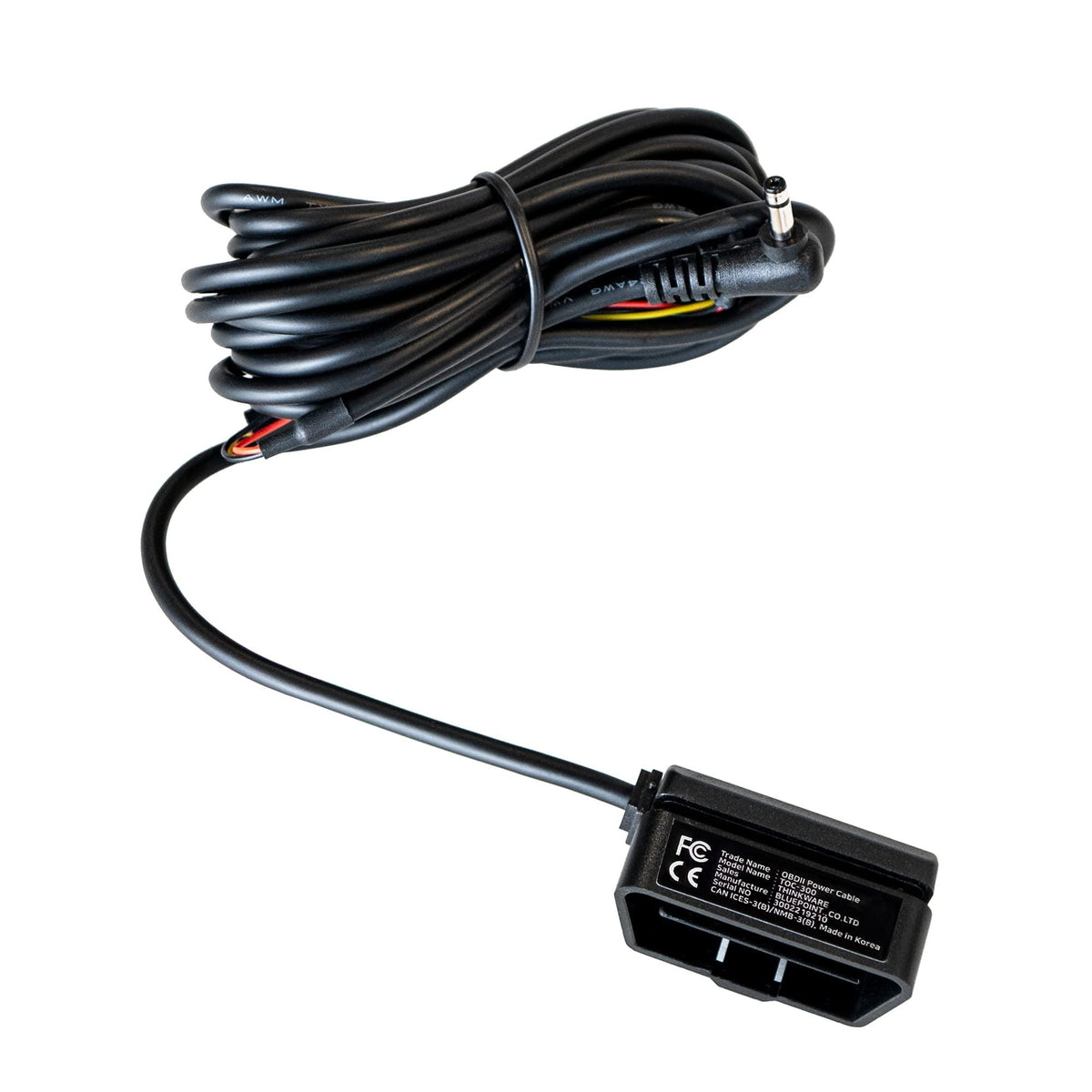
The THINKWARE TWA-OBD2 OBD-II Power Cable provides an easy way to power your compatible Thinkware dash cam while enabling its advanced Parking Surveillance Mode without the need to tap into your vehicle's fuse box.
Simply connect the cable to your vehicle's OBD-II diagnostic port and connect it to your compatible Thinkware dash cam.
With a 3-metre (10-foot) cable, the TWA-OBD2 provides enough length for a clean and discreet installation in most vehicles.
Enables Thinkware Parking Surveillance
The TWA-OBD2 allows compatible Thinkware dash cams to remain powered after the vehicle is turned off and automatically switch into Parking Surveillance Mode.
Depending on the dash cam model, available parking functions can include:
- Motion & Impact Detection
- Time-Lapse Recording
- Energy Saving Mode
- Radar Parking Mode
Parking features vary by compatible Thinkware dash cam model.
Easy OBD-II Installation
Unlike a conventional hardwire installation, the TWA-OBD2 does not require access to the vehicle's fuse box.
The cable plugs directly into the vehicle's OBD-II port, making it a convenient option for customers who want Parking Mode without installing fuse taps.
Thinkware describes the OBD-II cable as its easiest installation method for enabling Parking Mode.
Built-In Vehicle Battery Protection
The TWA-OBD2 monitors vehicle voltage and uses the vehicle's power state to determine when the dash cam should transition into Parking Mode.
The cable is designed to help protect the vehicle battery by shutting down the dash cam when the configured low-voltage protection threshold is reached.
Gas, Hybrid & Electric Vehicle Compatible
The TWA-OBD2 is designed for use with:
- Gasoline vehicles
- Hybrid vehicles
- Electric vehicles
- Stop/start-equipped vehicles
Important: Compatibility can vary by vehicle. Thinkware specifically notes that the TWA-OBD2 is not compatible with all Tesla models.
Parking Mode Activation
The OBD-II cable detects changes in vehicle voltage and works with the dash cam's G-sensor to determine when the vehicle has entered a parked state.
Depending on the vehicle, there can be a short delay before Parking Mode activates.
Thinkware notes that gasoline vehicles may take approximately 5 minutes plus the configured standby time, while EV/hybrid vehicles may take approximately 10 minutes plus the configured standby time.
Cable Length
Cable Length: 3 metres / 10 feet
The generous cable length allows the wiring to be routed discreetly from the OBD-II port to a dash cam mounted near the windshield.
Compatibility
The TWA-OBD2 is designed for use with select Thinkware dash cams.
Not compatible with Thinkware F790 dash cams.
It is also important to verify compatibility with your specific vehicle, particularly Tesla vehicles.
Specifications
| Feature | Specification |
|---|---|
| Product | Thinkware OBD-II Power Cable |
| Model | TWA-OBD2 |
| Connection | OBD-II |
| Cable Length | 3m / 10ft |
| Installation | Plug & Play |
| Parking Mode | Yes |
| Motion Detection | Supported on compatible dash cams |
| Impact Detection | Supported on compatible dash cams |
| Time-Lapse | Supported on select models |
| Energy Saving | Supported on select models |
| Radar Parking Mode | Supported on select models |
| Vehicle Compatibility | Gasoline / Hybrid / EV / Stop-Start |
| Battery Protection | Yes |
| Hardwire Required | No |
What's Included
- THINKWARE TWA-OBD2 OBD-II Power Cable
- Manufacturer documentation
Important Compatibility Information
The TWA-OBD2 is not compatible with Thinkware F790 dash cams.
It is also not compatible with all Tesla models.
Before purchasing, verify that your Thinkware dash cam and vehicle are compatible with the TWA-OBD2.
Why Choose the THINKWARE TWA-OBD2?
The TWA-OBD2 is an excellent choice for customers who want the benefits of Thinkware Parking Surveillance without performing a traditional fuse-box installation.
It provides a clean, convenient and largely plug-and-play solution for powering a compatible Thinkware dash cam in both driving and parking modes.
Key Highlights
Plug-and-play installation
Connects directly to OBD-II port
No fuse tapping required
Enables Thinkware Parking Surveillance
Motion & Impact Detection
Time-Lapse Mode on select models
Energy Saving Mode on select models
Radar Parking Mode on select models
Built-in voltage monitoring
Vehicle battery protection
3m / 10ft cable
Compatible with gasoline vehicles
Compatible with hybrid vehicles
Compatible with electric vehicles
Compatible with stop/start vehicles
Professional installation available
Professional dash cam installation is available through DashCam Source.
Share